
City Building Permit & Inspection Software
Overview
About City of Ashland, OH
The City of Ashland, Ohio, Building Department is a vital municipal entity responsible for ensuring the safety and structural integrity of residential and non-residential construction projects. The department maintains local safety standards and issues official Certificates of Occupancy by reviewing building plans and conducting on-site inspections. Their work is foundational to the city’s growth, overseeing everything from minor home renovations to large-scale industrial warehouses or billboards.



Services


We are very pleased with the services received.
Peter provided great oversight and correspondence with our project team throughout the development of the software portal.
Shane KremserCity Engineer/Building Official of City of Ashland
Their Challenge
Development needs to move fast to keep up with the ever-evolving modern world, but most city permitting processes are anchored in the past. Archaic processes slow down progress, prevent growth, and hold communities back. The City of Ashland, Ohio, recognized that its processes were inefficient and knew there had to be a better way. Its permitting process required applicants to download static PDFs, fill them out manually, and then physically mail or hand-deliver them to the department. Internally, staff tracked these projects using a single Excel spreadsheet.
The city faced operational bottlenecks and risks associated with manual data entry and fragmented record-keeping. The department had previously explored off-the-shelf software to digitize these workflows, but found these generic tools were either too bloated with unnecessary features or too rigid to match their specific regulatory needs. The department needed a scalable, professional solution that could fit within a strict municipal budget while modernizing their entire project lifecycle.
Our Solution
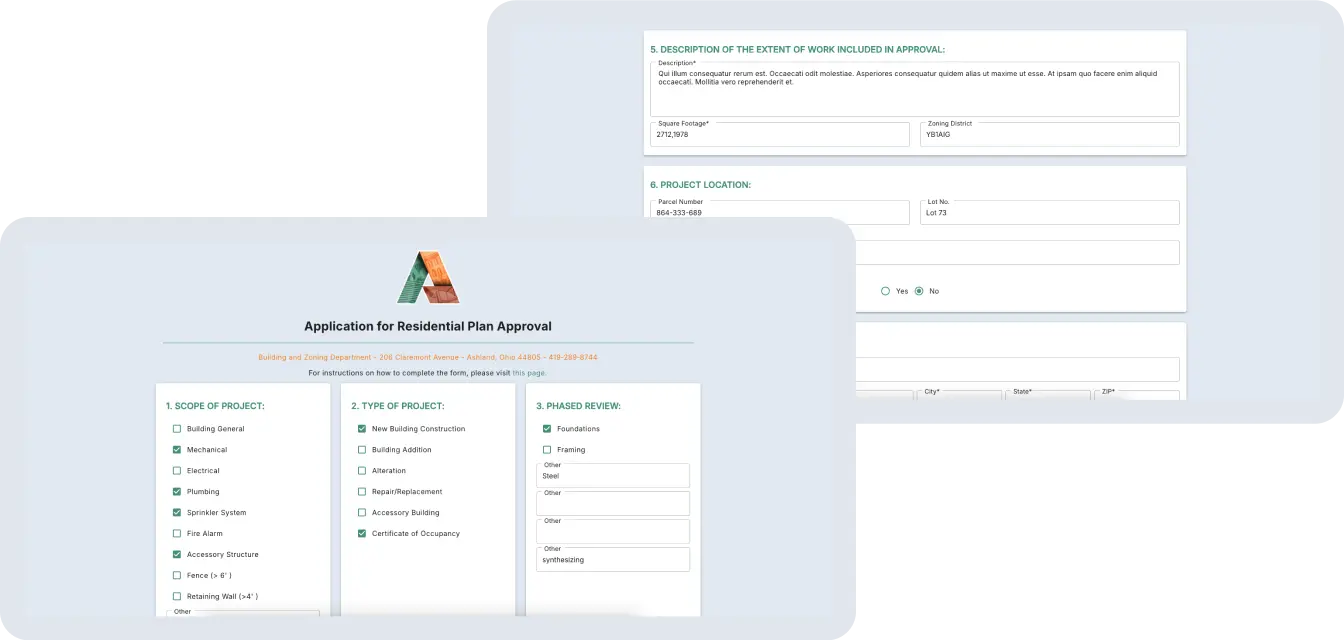
Saritasa developed a custom, unified web application that digitized the permit application and inspection workflow. We replaced the manual PDF process with a public-facing portal where users can submit projects, which then flow directly into a backend management system. The solution acts as a centralized “Project Hub,” allowing city staff to review plans, assign inspectors, and log results.
Our team delivered a high-performance tool that met the city’s budget constraints without sacrificing long-term scalability. The new system not only automates administrative tasks, such asl fee calculations and report exports, but also provides the department with a professional, brand-aligned interface that reflects the City of Ashland’s commitment to efficient public service.
Our Approach
What Saritasa Did
Intuitive UX/UI Design
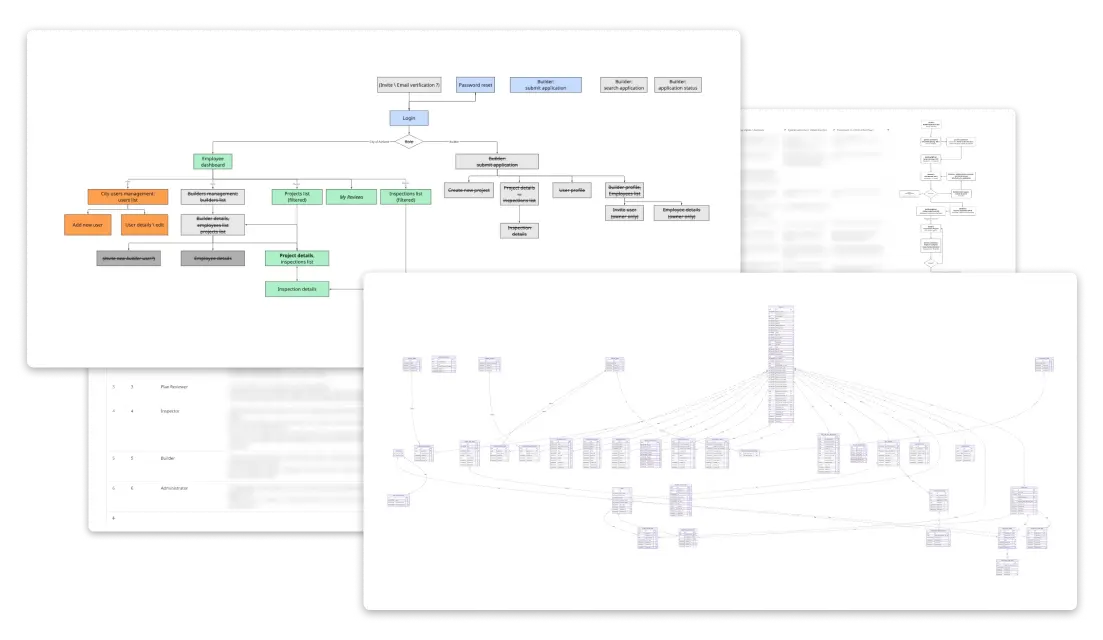
We began by establishing a light-weight design system rooted in the City of Ashland’s official branding and logo and documenting the system structure. This helped our team understand all the necessary pages and workflows and simplify the process. From there, we created a clickable prototype, allowing the client to experience the navigation and provide feedback before a single line of code was written. This ensured the final back-office solution was both easy to use and perfectly aligned with their professional identity.
Scalable .NET Architecture
To meet strict budget constraints while maintaining high performance, we developed the solution as a unified application using .NET, Blazor, and Mud Blazor. This streamlined approach allowed a single team to build both the frontend and backend, resulting in a system that is easy for a single person to maintain long-term. We architected the system to ensure it can easily expand with new features as the city secures future funding.
On-Premise Hosting
While our standard practice uses AWS for production, we adapted to the client’s specific requirement to host the application on their own hardware. We maintained our development environment in AWS to ensure a smooth build process while successfully deploying the final product to the city’s local servers.
Multiple User Types
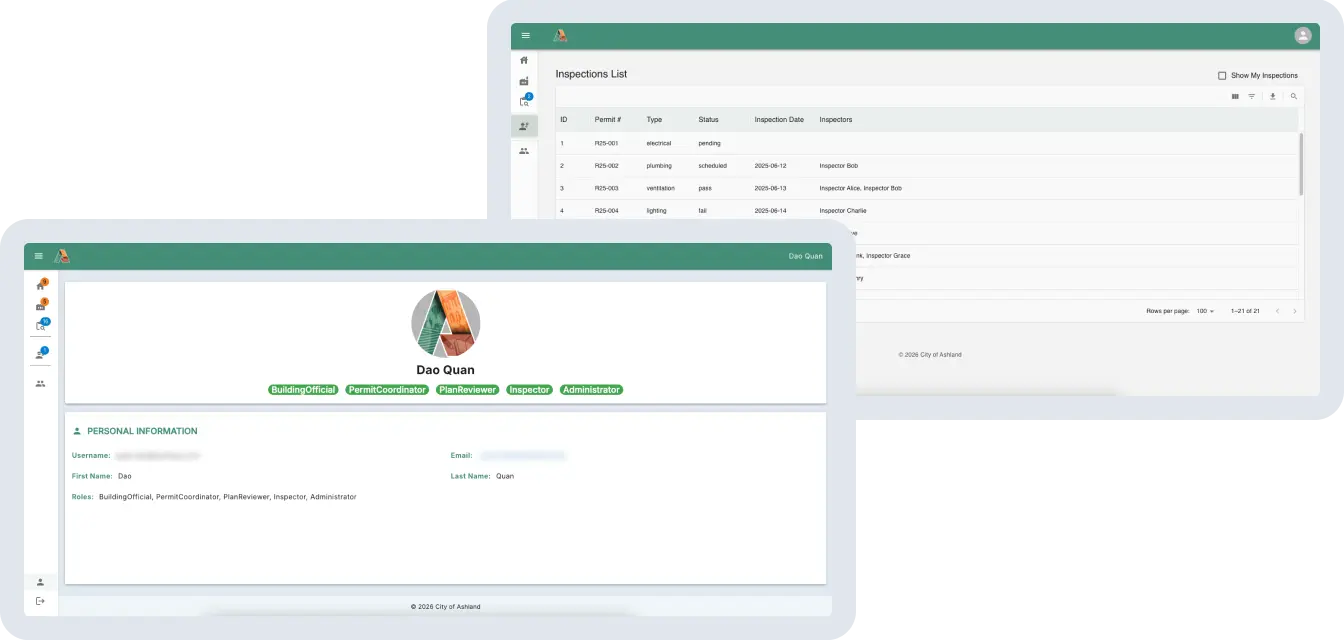
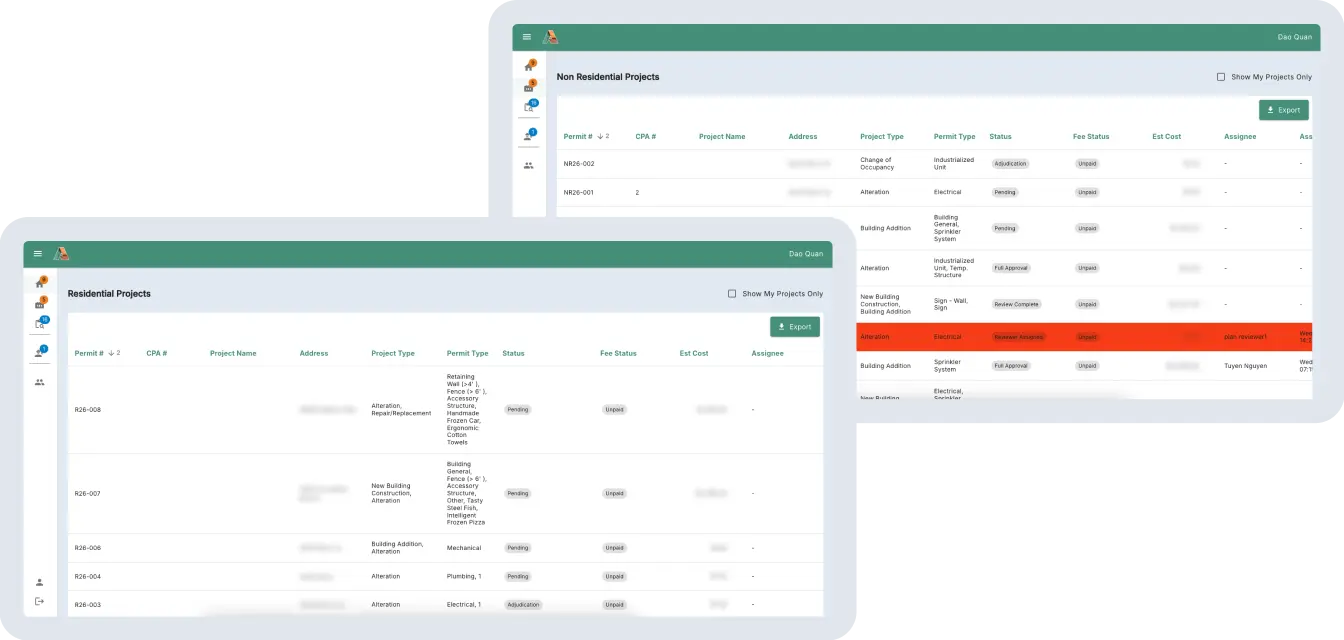
The application manages various permissions and tasks for a diverse range of internal roles, from administrative staff to field inspectors. Each user has access to lists tailored to their responsibilities, such as “My Tasks” or specific residential and non-residential project views. This ensures that every stakeholder, from the person reviewing initial plans to the final certifier, has the exact tools they need at each stage.
Automated Inspection Workflow
The system transforms every application into a manageable “Project” that tracks the entire lifecycle from submission to completion. Inspectors can log results directly into the app for various inspection types, including electrical and mechanical, and leave detailed notes or comments. Once all inspections are passed, the system moves the application to the final “certified” stage, speeding up the approval process significantly.
Application Fee Calculator
While the system does not process payments directly, it features a built-in calculator to help staff determine the exact fees required for each unique application. Once payments are handled through external city channels, they can be manually marked as paid within the system to keep records centralized.
Streamlined Reporting
Since building permit data is public record, we built robust functionality to export all information into spreadsheets for easy sharing. The system allows staff to quickly compile and provide data for quarterly reports or public information requests, such as the total number of applications per quarter. This transparency eliminates hours of manual data compilation and ensures the department can meet its reporting obligations with ease.


